In today’s digital world, staying secure isn’t just an option—it’s a necessity. This blog is your go-to source for the latest security updates and insights.
A website can look modern, load quickly, rank well on search engines, and still lose sales.
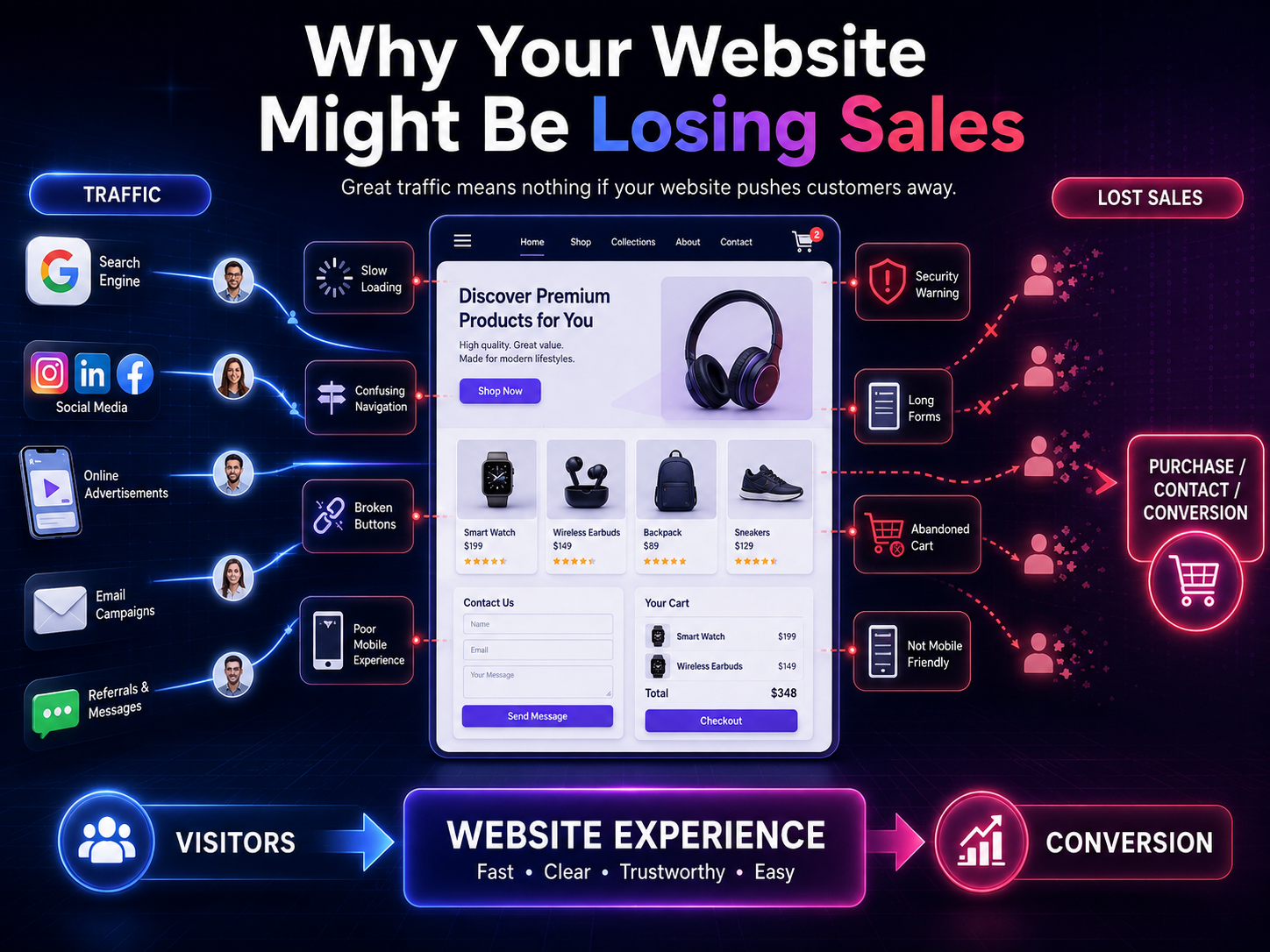
That is one of the most frustrating problems for businesses today. You may be attracting visitors through Google, social media, paid advertising, or referrals, yet a large percentage of those visitors leave without making a purchase, submitting a form, booking a consultation, or contacting your team.
So, why is your website losing sales?
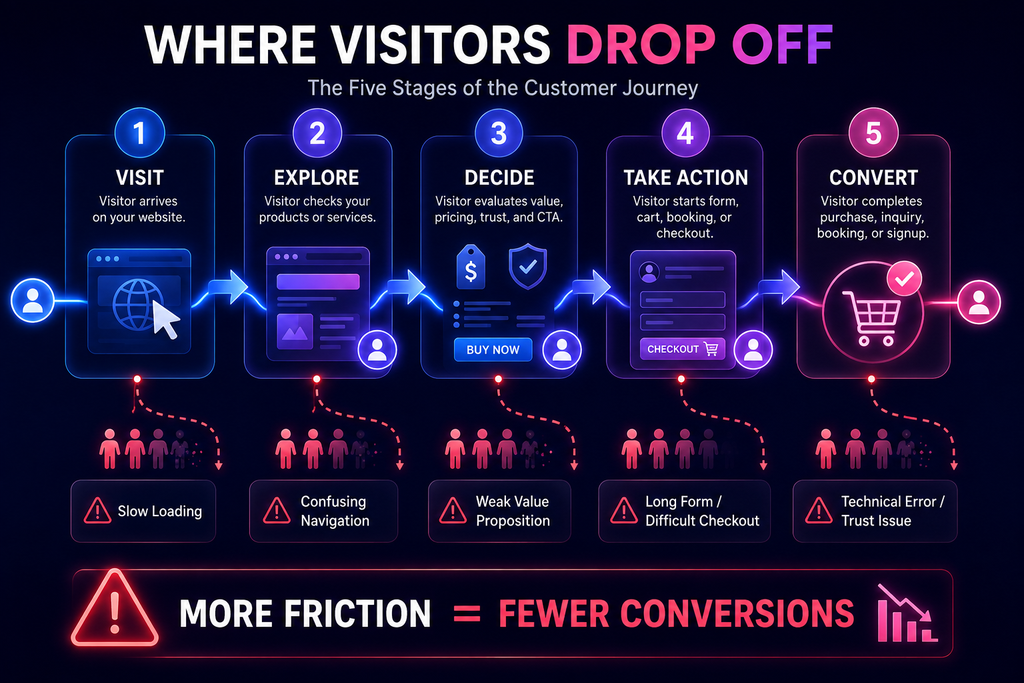
The answer is rarely just one problem. Poor user experience, confusing navigation, slow performance, weak calls to action, lack of trust, security concerns, complicated checkout processes, and even small technical errors can create friction between a visitor and a conversion.
In this guide, we will explore the most common reasons your website might be losing sales, how to identify them, and what practical improvements can help turn more visitors into customers.
For businesses that also want to understand how security issues can affect digital experiences and customer trust, resources such as the Botdef cybersecurity platform can provide useful security-focused insights alongside conversion improvements.
Why Your Website Might Be Losing Sales Even If You Have Traffic
Getting website traffic is only the first step.
A website could receive thousands of visitors every month and still generate disappointing revenue. Traffic measures how many people arrive. Conversion measures what happens after they arrive.
Imagine two websites:
- Website A receives 20,000 monthly visitors and generates 100 customers.
- Website B receives 8,000 monthly visitors and generates 200 customers.
Website B has less traffic but produces twice as many customers.
This is why businesses should not focus exclusively on increasing website visitors. They also need to understand what visitors experience once they land on the site.
Common problems include:
- Visitors cannot immediately understand what the business offers.
- Important information is difficult to find.
- Pages take too long to load.
- The website looks unreliable or outdated.
- The call to action is unclear.
- Product or service benefits are poorly explained.
- Forms ask for too much information.
- Checkout contains unnecessary steps.
- Security warnings make visitors uncomfortable.
- The website does not work properly on mobile devices.
Even one of these issues can reduce conversions. When several appear together, the impact can become significant.
1. Your Website Does Not Clearly Explain What You Offer
One of the biggest reasons a website loses sales is simple: visitors do not understand the value quickly enough.
When someone lands on your homepage, they should be able to answer three questions almost immediately:
- What does this business offer?
- Who is it for?
- Why should I choose it?
If visitors need to read several paragraphs before understanding your product or service, they may leave.
Make Your Value Proposition Obvious
Your homepage headline should communicate the primary benefit rather than using vague marketing language.
For example:
Weak:
Innovative Solutions for a Better Digital Future
Stronger:
Secure Custom Web Applications That Help Businesses Operate Faster
The second version tells visitors what is being offered and communicates a specific benefit.
A strong value proposition does not need to be complicated. In fact, clarity usually performs better than cleverness.
2. Slow Website Performance Is Costing You Customers
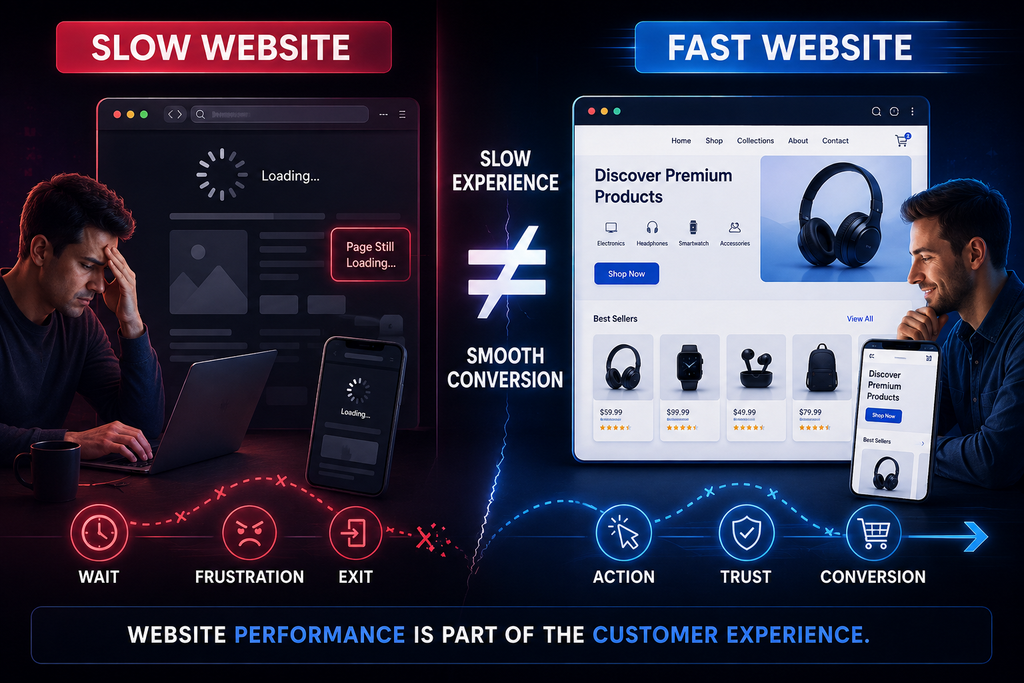
Speed is not just a technical issue. It is a business issue.
When a page takes too long to load, visitors may leave before they even see your offer.
Google’s PageSpeed Insights can help businesses evaluate website performance and identify areas that may need improvement.
Common causes of poor website performance include:
- Large uncompressed images
- Excessive JavaScript
- Too many third-party scripts
- Poor server performance
- Unoptimized CSS
- Unnecessary plugins
- Poor caching configuration
- Slow database queries
- Heavy animations
- Incorrect image formats
Why Speed Matters for Conversion
Consider a visitor who clicks an advertisement for a product.
They expect the landing page to appear almost immediately.
Instead, they see a blank screen or loading indicator.
The longer they wait, the more likely they are to abandon the page.
Therefore, performance optimization should be treated as part of conversion optimization.
A fast website creates a smoother experience, while a slow website creates friction.
3. Your Website Is Difficult to Navigate
Visitors should not have to work to find important information.
If someone wants to know your pricing, services, product details, contact information, or return policy, that information should be easy to locate.
Poor navigation can happen when:
- Menus contain too many options.
- Important pages are buried.
- Navigation labels are unclear.
- Search functionality is missing.
- Buttons do not lead where users expect.
- The website structure changes from page to page.
Use Familiar Navigation Patterns
Users have certain expectations when they visit a website.
They generally expect:
- The logo to return to the homepage.
- Navigation to remain consistent.
- Buttons to behave predictably.
- Contact information to be easy to find.
- Important actions to be visually noticeable.
You do not need to reinvent website navigation.
Familiarity reduces cognitive effort and helps users move toward a purchase.
4. Your Call-to-Action Is Too Weak or Confusing
A visitor may be interested in your product but still not know what to do next.
That is where the call-to-action, or CTA, becomes important.
Compare:
Learn More
with:
Get Your Free Security Assessment
The second CTA communicates a clearer action and benefit.
Effective CTAs Should Be Specific
Depending on the business model, useful CTAs might include:
- Get a Free Quote
- Start Your Free Trial
- Book a Consultation
- Request a Demo
- Download the Guide
- Buy Now
- Get Started
- Contact an Expert
The best CTA depends on the visitor’s stage in the buying journey.
Someone discovering your business for the first time may not be ready to purchase. They might prefer educational content or a free consultation.
Someone who has already compared your product may be ready for a stronger purchase-focused CTA.
5. Your Website Does Not Build Enough Trust
People do not buy from websites they do not trust.
This is especially important when customers need to provide personal information, payment details, business information, or login credentials.
A website can lose sales when it appears:
- Outdated
- Poorly maintained
- Insecure
- Full of broken links
- Missing business information
- Lacking customer reviews
- Unclear about policies
- Difficult to contact
Trust signals can make a major difference.
Add Relevant Trust Signals
Depending on your business, consider including:
- Customer testimonials
- Reviews
- Case studies
- Industry certifications
- Security information
- Clear contact details
- Privacy policy
- Terms and conditions
- Refund or return information
- Recognized payment options
- Client or partner references
Security is particularly important for websites handling sensitive information.
The OWASP Top 10 is a valuable industry resource for understanding common web application security risks. Addressing security problems does not just protect systems; it can also strengthen customer confidence.
6. Security Problems Can Directly Affect Sales
Security and sales may seem like separate subjects, but they are closely connected.
A security problem can create an immediate loss of customer trust.
For example, imagine a visitor receives a browser warning while trying to open your website. Even if the visitor was ready to buy, they may immediately close the page.
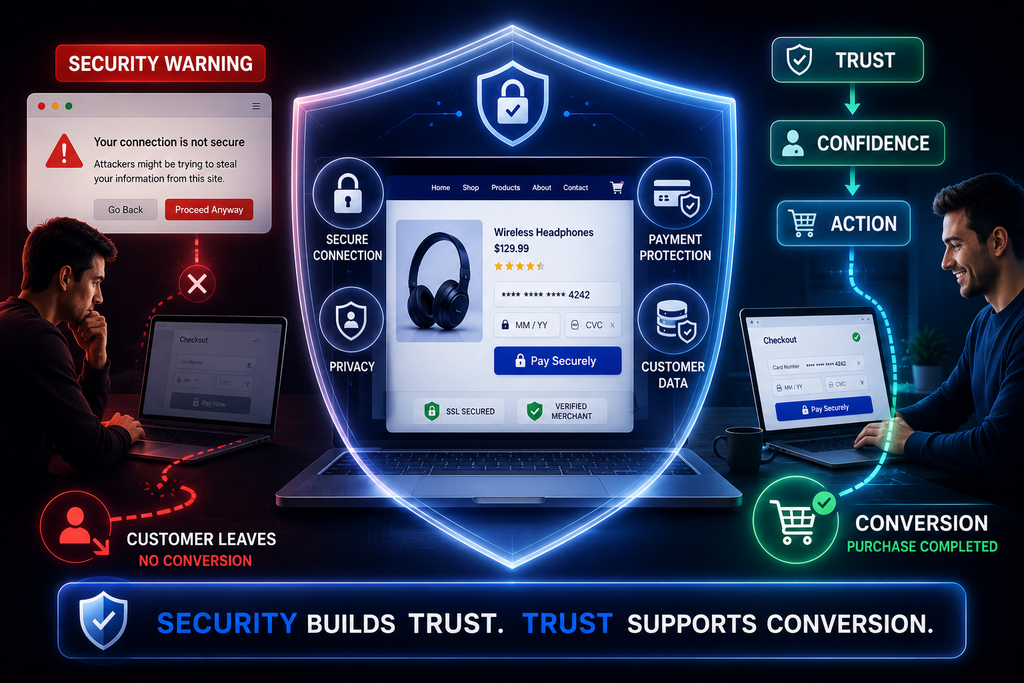
Similarly, customers may hesitate if:
- HTTPS is missing or incorrectly configured.
- Forms appear suspicious.
- Security certificates generate warnings.
- Login pages look unsafe.
- The website contains unexpected redirects.
- Malware has affected pages.
- Customer information appears poorly protected.
For businesses trying to build trust online, security should therefore be part of the overall website experience rather than an afterthought.
A practical starting point is reviewing the security guidance and resources available through Botdef’s security-focused resources, particularly when evaluating how technical risks could affect your website and customers.
7. Your Mobile Experience Is Poor
A website that looks excellent on a desktop computer can still lose sales if its mobile experience is frustrating.
Mobile visitors may encounter:
- Tiny text
- Buttons that are difficult to tap
- Horizontal scrolling
- Slow-loading images
- Pop-ups covering the entire screen
- Broken layouts
- Difficult checkout forms
- Navigation that does not work correctly
This is particularly important because many users discover businesses through mobile search, social media, messaging platforms, and advertisements.
Test the Website Like a Customer
Do not simply resize the browser window and assume the site works.
Actually use the website from a mobile device.
Try to:
- Find a product or service.
- Read the main information.
- Locate pricing.
- Submit a form.
- Add an item to a cart.
- Complete checkout.
- Find contact information.
If any step feels difficult, there is probably an opportunity for improvement.
8. Your Forms Are Asking for Too Much
Forms are often a hidden conversion killer.
A visitor might be interested in your service but abandon the form when they see ten or fifteen required fields.
Ask yourself:
Do you really need every field?
For an initial inquiry, you may only need:
- Name
- Company
- Message
Additional information can often be collected later.
Reduce Friction
Every additional field introduces another decision for the user.
Instead of asking for everything upfront, collect the information necessary for the immediate purpose.
Shorter forms are generally easier to complete, particularly on mobile devices.
However, the goal is not simply to make forms short. The goal is to find the right balance between lead quality and conversion rate.
9. Your Checkout Process Has Too Much Friction
For e-commerce websites, checkout problems can be particularly expensive.
A customer may add a product to their cart but leave before completing the transaction.
Common reasons include:
- Unexpected shipping costs
- Complicated checkout
- Forced account creation
- Limited payment methods
- Long forms
- Unexpected fees
- Poor mobile checkout
- Lack of trust signals
- Technical errors
- Slow payment processing
Make the Final Step Simple
The closer someone gets to purchasing, the less unnecessary friction you should introduce.
Give customers a clear summary of:
- Product
- Quantity
- Price
- Taxes
- Shipping
- Discounts
- Final total
Avoid surprising customers at the final step.
Transparency helps maintain trust.
10. Your Product or Service Pages Are Too Generic
A visitor needs enough information to make a decision.
A product or service page should explain more than what something is.
It should communicate:
- The problem it solves
- Who it is designed for
- Key benefits
- Important features
- Expected outcomes
- Pricing or pricing guidance
- Frequently asked questions
- Social proof
- Next steps
Focus on Benefits, Not Only Features
Features explain what something does.
Benefits explain why the customer should care.
For example:
Feature:
Automated reporting dashboard.
Benefit:
See important performance metrics in one place without manually compiling reports.
The second statement connects the feature to a real customer problem.
11. Your Website Has Technical Errors You Are Not Seeing
Sometimes a website loses sales because something simply does not work.
The problem may affect only a small percentage of users, making it difficult to notice internally.
Examples include:
- Broken checkout buttons
- Incorrect redirects
- JavaScript errors
- Missing images
- Broken forms
- Expired certificates
- Incorrect links
- Server errors
- Payment failures
- Browser compatibility issues
This is why website testing should be continuous rather than something performed only before launch.
Monitor the Entire Customer Journey
Test important paths regularly:
Landing page → Product page → Cart → Checkout → Payment → Confirmation
For lead-generation websites:
Landing page → Service page → Contact form → Submission → Confirmation → Follow-up
If any stage fails, you may be losing potential customers without realizing it.
12. Your Website Content Is Not Answering Customer Questions
Visitors often leave because they cannot find the information they need.
Before purchasing, customers may ask:
- How much does it cost?
- Is this suitable for my business?
- How does it work?
- Is there a contract?
- Can I cancel?
- Is support included?
- Is my information secure?
- How long does implementation take?
- What happens after I sign up?
If your website does not answer these questions, users may search elsewhere.
Build Content Around Customer Intent
Instead of writing content only around keywords, identify the questions customers ask before purchasing.
Useful content formats include:
- FAQs
- Comparison guides
- Tutorials
- Case studies
- Buying guides
- Product explainers
- Security guides
- Implementation guides
This approach can also support organic search while helping visitors move closer to a buying decision.
How to Identify Exactly Where Your Website Is Losing Sales
You do not need to guess.
Start by reviewing your website data.
Useful metrics include:
Conversion Rate
This shows the percentage of visitors who complete a desired action.
For example:
10,000 visitors → 200 purchases
Conversion rate = 2%
Bounce or Engagement Metrics
These can help identify pages where users are not engaging as expected.
However, do not evaluate a page using one metric alone. A high exit rate on a confirmation page, for example, is not necessarily a problem.
Cart Abandonment
For e-commerce businesses, compare the number of users who add products to their carts with those who complete purchases.
Form Abandonment
Track how many users begin a form and how many successfully submit it.
Page Performance
Identify pages that load significantly slower than others.
Analytics and performance tools can reveal where users drop out of the journey.
A Practical Website Sales Audit
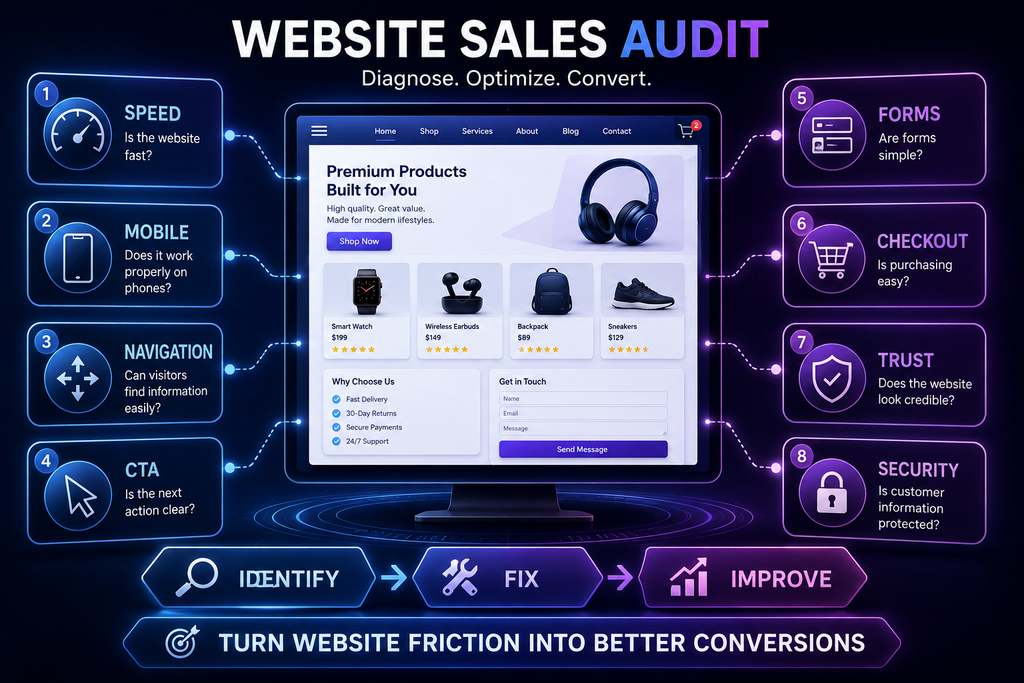
If you believe your website might be losing sales, perform a simple audit across five areas.
1. First Impression
Ask:
- Is the purpose immediately clear?
- Does the design look trustworthy?
- Is the main CTA visible?
2. User Experience
Ask:
- Is navigation simple?
- Can users find important information?
- Does the site work properly on mobile?
3. Performance
Check:
- Page speed
- Core Web Vitals
- Image optimization
- JavaScript performance
- Server response time
4. Trust and Security
Review:
- HTTPS
- Security warnings
- Privacy information
- Contact details
- Trust signals
- Website security
5. Conversion Journey
Test:
- Forms
- CTAs
- Product pages
- Shopping cart
- Checkout
- Payment
- Confirmation pages
This audit can help turn a vague sales problem into a list of specific improvements.
Small Website Changes Can Produce Significant Results
Website optimization does not always require a complete redesign.
Sometimes, relatively small changes can improve the customer journey.
For example:
- Rewrite the homepage headline.
- Make the primary CTA more specific.
- Compress large images.
- Remove unnecessary form fields.
- Add customer reviews.
- Improve mobile spacing.
- Fix broken links.
- Simplify checkout.
- Add security information.
- Improve product descriptions.
- Answer common customer questions.
The important thing is to prioritize changes based on evidence.
Do not redesign an entire website simply because it looks old. First identify what is actually preventing visitors from converting.
Website Security and Conversion Should Work Together
A successful website needs both performance and protection.
A fast website that looks insecure can lose customers.
A secure website with a terrible user experience can also lose customers.
The strongest digital experiences combine:
Security + Performance + Usability + Clarity + Trust + Strong Conversion Paths
This is particularly important as businesses collect increasing amounts of customer information online.
Security should be integrated into website planning, development, monitoring, and maintenance.
For readers looking to explore security-related website risks more deeply, Botdef can be a useful reference point when evaluating how cybersecurity and digital trust fit into a broader website strategy.
What Should You Fix First?
If you discover several problems, do not try to fix everything at once.
Prioritize issues based on their potential business impact.
A useful order is:
High Priority
- Broken checkout
- Broken forms
- Security warnings
- Major mobile issues
- Extremely slow pages
- Incorrect pricing or product information
Medium Priority
- Weak CTAs
- Confusing navigation
- Poor product descriptions
- Missing trust signals
- Complicated forms
Ongoing Improvements
- Content optimization
- A/B testing
- SEO improvements
- Design refinement
- Performance monitoring
- Customer research
This approach helps businesses focus resources where they are most likely to produce measurable results.
Final Thoughts: Turn More Visitors Into Customers
If your website might be losing sales, the solution is not always more traffic.
Sometimes the traffic is already there.
The real problem is what happens after visitors arrive.
A slow page, confusing headline, weak CTA, complicated form, poor mobile experience, missing trust signals, technical error, or security concern can stop an interested visitor from becoming a customer.
The good news is that these problems can often be identified and improved.
Start by analyzing the customer journey from the visitor’s perspective. Test your website on different devices. Review analytics. Check performance. Test forms and checkout. Look for technical problems. Evaluate security. Most importantly, listen to what your customers are telling you.
A website should not simply exist as an online presence. It should guide visitors toward a clear and trustworthy next step.
When businesses combine strong user experience, reliable performance, security, useful content, and clear conversion paths, they create websites that do more than attract visitors—they help turn those visitors into customers.
And that is ultimately the goal: not simply getting more people to your website, but making it easier for the right people to say yes.