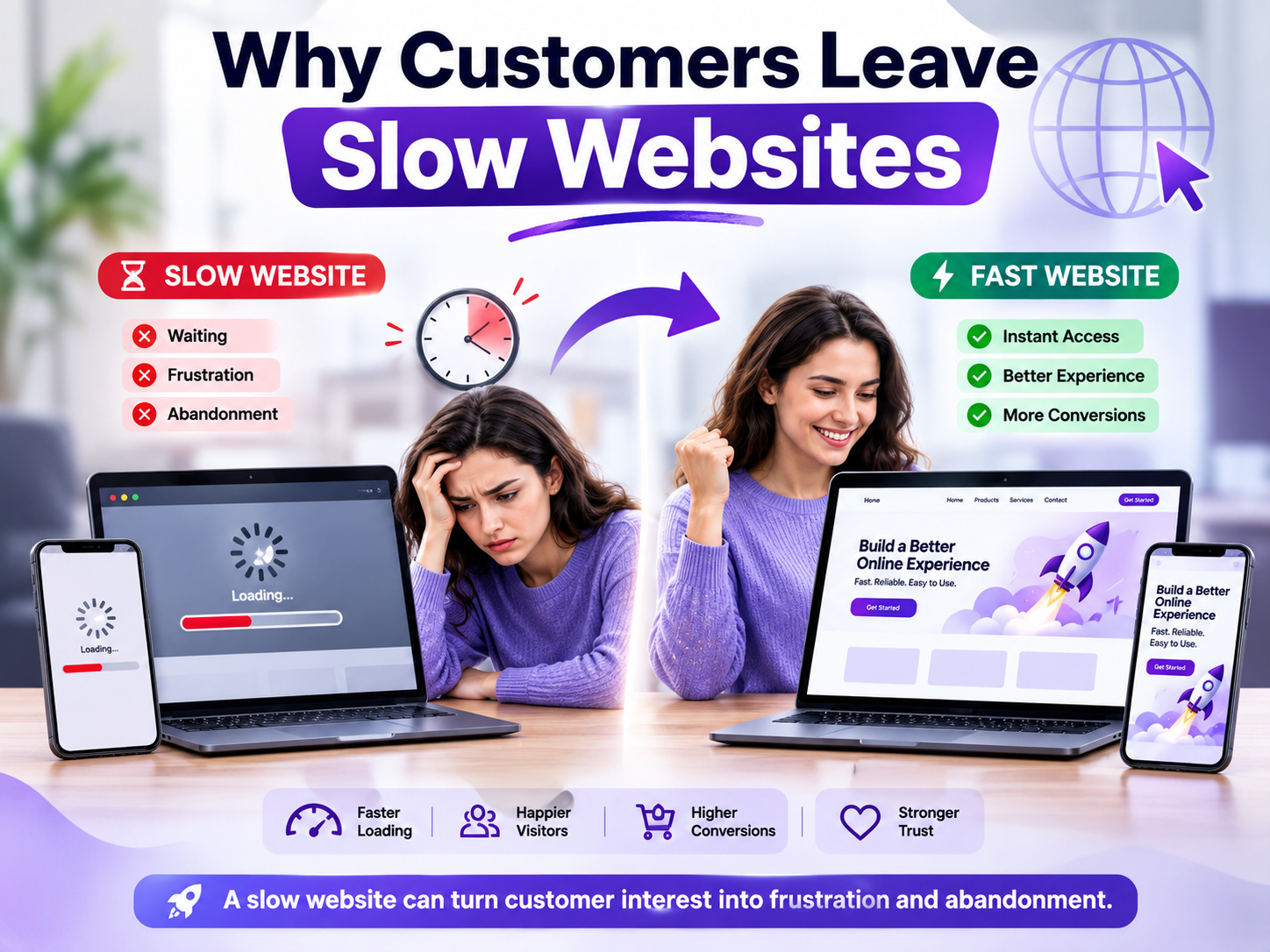
A website can have excellent products, useful information, and a polished design, yet still lose customers for one simple reason: it is too slow.
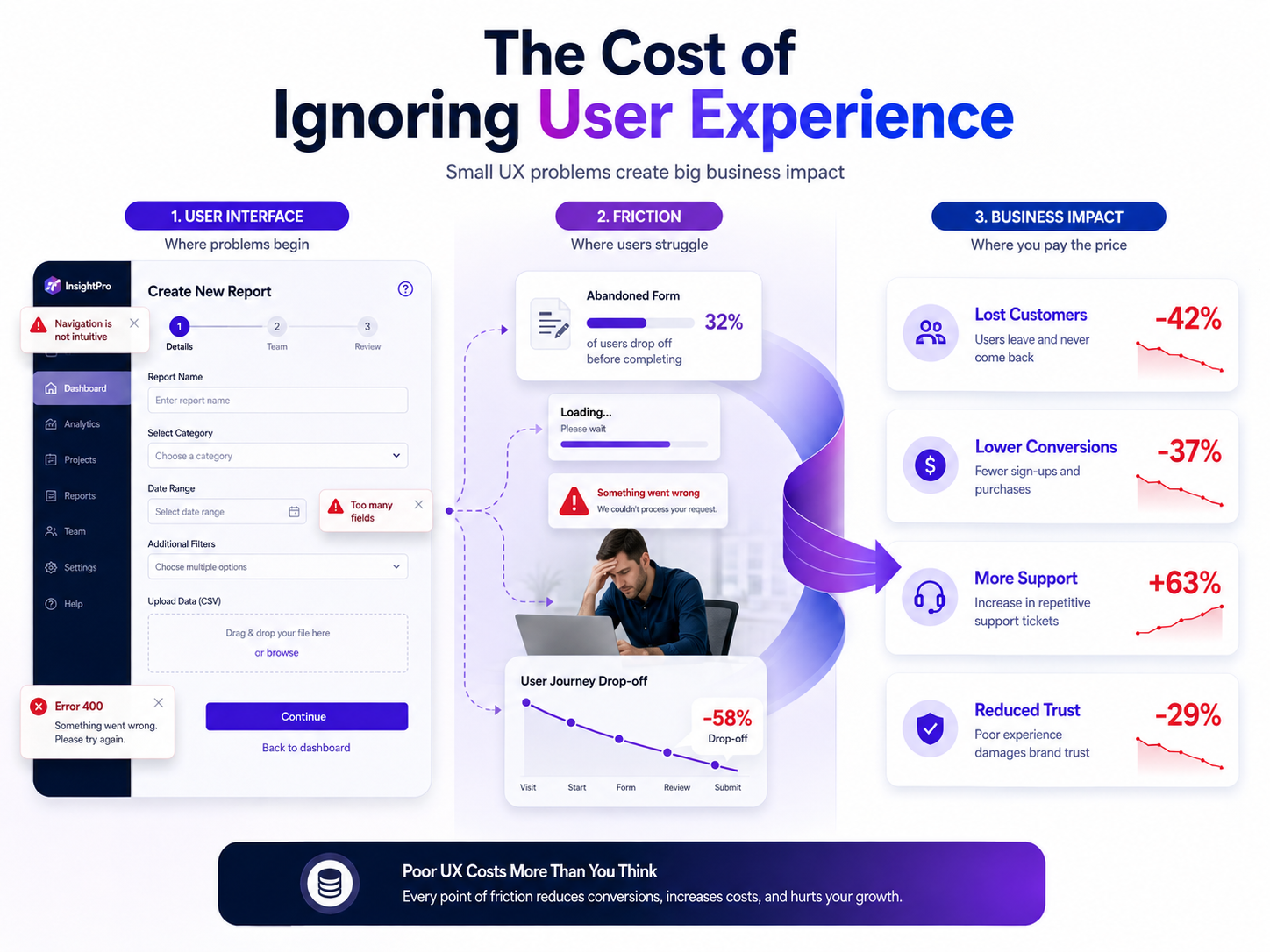
Today, people expect websites to respond almost instantly. When a page takes too long to load, visitors do not always wait patiently. They may close the tab, return to search results, choose a competitor, or simply decide that the business is not worth their time. That makes website speed more than a technical performance metric. It is a customer experience, conversion, and business-growth issue.
For businesses that care about both performance and protection, website speed should also be considered alongside broader digital security practices. Resources such as Botdef’s cybersecurity insights can help businesses understand why a reliable digital presence requires more than attractive design alone.
So, why do customers leave slow websites? The answer involves psychology, usability, mobile behavior, search visibility, trust, and conversion friction. Understanding these factors can help businesses identify what is going wrong and take practical steps to create faster experiences.
Why Website Speed Matters to Customers
Customers rarely think about technical metrics such as server response time, Largest Contentful Paint, or JavaScript execution time while browsing a website. Instead, they experience these technical factors as a simple question:
“Is this website responding quickly enough for me?”
If the answer is no, frustration starts building.
A visitor might click a product page and see a blank screen. They might wait for images to appear. A form may take several seconds to become interactive. On mobile, the experience can become even worse when the user has a slower connection.
These small delays may appear insignificant to a business owner. However, they can have a meaningful impact when thousands of visitors experience them every month.
Website speed affects:
- First impressions
- User experience
- Conversion rates
- Search visibility
- Mobile engagement
- Customer trust
- Bounce and abandonment behavior
- Revenue opportunities
Google also treats page experience and performance as important parts of the modern web. Its Core Web Vitals documentation explains the key metrics used to understand loading performance, responsiveness, and visual stability.
In other words, speed is not simply about making a website feel technically impressive. It is about removing unnecessary friction between the visitor and the action they want to take.
Why Customers Leave Slow Websites
There is rarely one reason behind website abandonment. Instead, several problems can happen at the same time.
A slow website can make customers feel that the business is unreliable, make information harder to access, and create uncertainty about whether they should continue.
1. People Expect Immediate Responses
Modern internet users are accustomed to fast digital experiences.
Search engines, social platforms, shopping applications, and mobile apps have trained users to expect quick responses. When a website takes several seconds to display meaningful content, the experience feels unusually slow.
This creates an important psychological effect.
The visitor is no longer focused entirely on the product, service, or information. They are now thinking about the website itself.
“Why isn’t this loading?”
“Did I click the wrong button?”
“Is the website broken?”
“Should I try another website?”
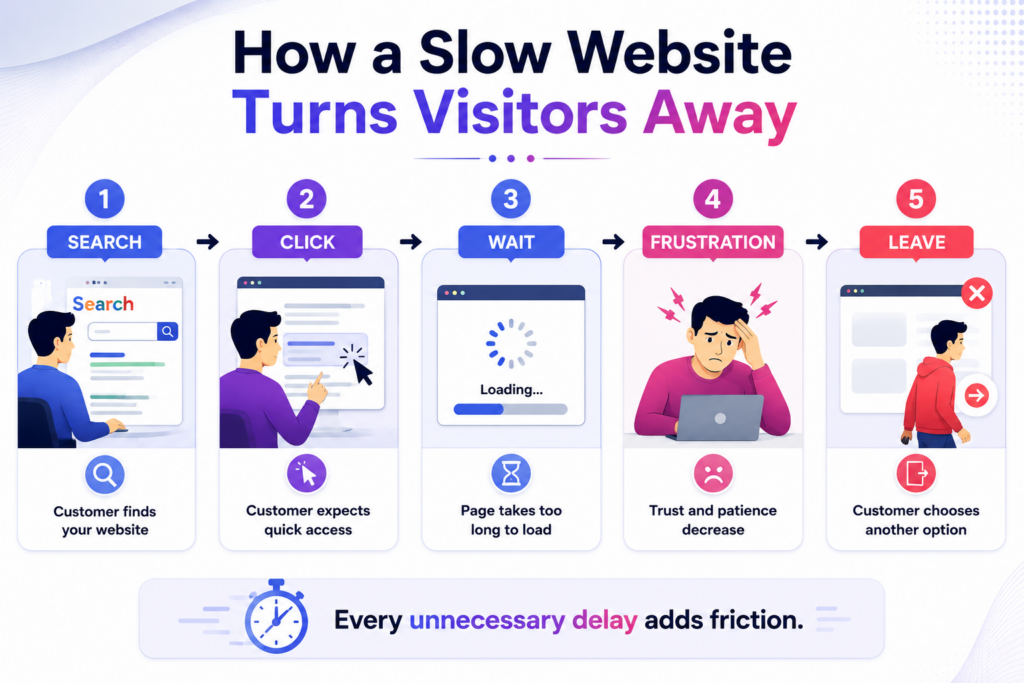
Every additional moment gives the customer another opportunity to abandon the visit.
2. Slow Pages Create a Poor First Impression
First impressions happen quickly.
Imagine a potential customer discovers a business through Google. They click the website because the search result looks relevant. Instead of immediately seeing the promised information, they encounter a loading screen.
Before the visitor has even read a headline, the website has already communicated something about the business.
A slow website can unintentionally suggest:
- Poor technical maintenance
- Outdated infrastructure
- Lack of attention to customer experience
- Low reliability
- An unprofessional digital presence
Of course, a slow website does not necessarily mean the business is poorly managed. But customers do not always know the reason behind the delay. They judge the experience they receive.
3. Mobile Users Have Less Patience
Mobile traffic makes website speed even more important.
People browse from different locations, devices, and network conditions. Someone may visit a website while commuting, shopping, waiting in a queue, or using a mobile connection with limited bandwidth.
A website that works reasonably well on a powerful desktop computer may perform poorly on a smartphone.
Common mobile performance problems include:
- Large images
- Heavy JavaScript
- Excessive animations
- Unoptimized fonts
- Too many third-party scripts
- Poorly optimized videos
- Slow server responses
- Layout shifts during loading
Responsive design is therefore not enough. A website needs to be responsive and performant.
How Slow Websites Damage Customer Trust
Speed and trust might seem unrelated, but customers often connect the two subconsciously.
A website represents a business before the customer speaks with anyone. If the experience is slow, broken, or inconsistent, confidence can decline.
For example, consider an online business that asks visitors to enter personal information before requesting a quote. If the page takes a long time to load and buttons behave unpredictably, visitors may hesitate to submit their information.
The problem is not necessarily security. The problem is uncertainty.
Customers want to feel that they are dealing with a reliable organization.
For businesses handling sensitive information, performance should also be considered as part of a broader website security and reliability strategy. Exploring practical cybersecurity resources and guidance can help organizations think about their websites from both a performance and protection perspective.
Slow Websites Increase Conversion Friction
Every website has an objective.
An e-commerce website wants customers to purchase. A service business wants visitors to request a consultation. A SaaS company may want users to start a trial. A content website may want readers to continue exploring.
Slow performance adds friction to every one of these goals.
Consider a simple customer journey:
Search → Landing Page → Product Page → Checkout → Payment → Confirmation
If every step takes longer than expected, frustration accumulates.
Even if each delay is relatively small, the overall experience can feel exhausting.
Slow Checkout Experiences Are Especially Dangerous
Customers are particularly sensitive to delays when they are ready to buy.
A visitor who has already selected a product has demonstrated strong purchase intent. However, if the checkout page becomes slow or unresponsive, that intent can disappear.
Potential problems include:
- Cart pages loading slowly
- Payment fields appearing late
- Checkout buttons becoming temporarily unresponsive
- Additional scripts delaying interaction
- Confirmation pages taking too long
Businesses should therefore prioritize performance on revenue-generating pages rather than focusing only on the homepage.
Website Speed and Search Visibility
Website speed can also influence how easily customers discover a business.
Search engines aim to provide useful results and good experiences. Google’s Page Experience documentation explains how page experience signals fit into its broader approach to search.
This does not mean that simply making a website faster automatically guarantees higher rankings. Search visibility depends on many factors, including relevance, content quality, authority, technical SEO, and user experience.
However, poor performance can still create problems.
If visitors frequently encounter a slow experience, they may leave quickly and interact less with the website. Meanwhile, search engines increasingly evaluate technical aspects of page experience as part of the overall ecosystem.
That makes performance optimization a sensible part of a broader SEO strategy.
The Technical Reasons Websites Become Slow
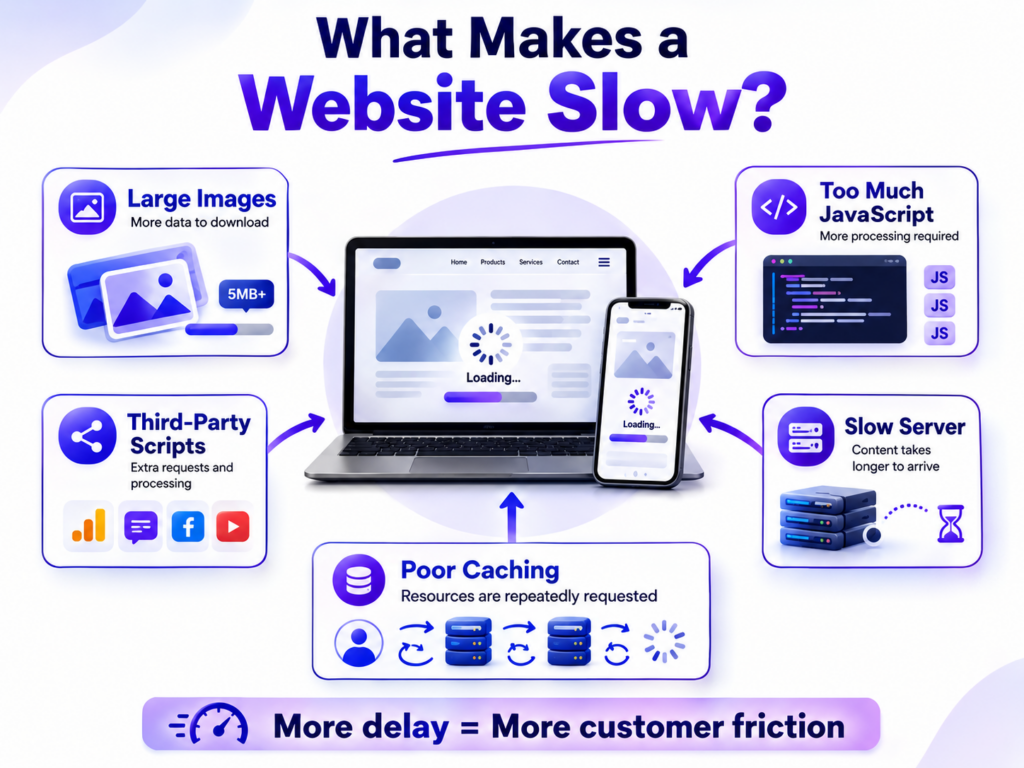
Understanding why websites become slow makes optimization much easier.
Large Images and Media Files
Images are often among the largest assets loaded by a webpage.
Uploading a high-resolution image directly from a camera or design application can create files that are much larger than necessary.
A website may look visually attractive while silently downloading several megabytes of images.
Businesses can improve this by:
- Compressing images
- Using modern formats such as WebP or AVIF where appropriate
- Serving correctly sized images
- Using responsive images
- Lazy-loading images that are below the initial viewport
Too Much JavaScript
JavaScript enables interactive features, but excessive JavaScript can become a performance problem.
Large JavaScript bundles require downloading, parsing, compiling, and executing code. On less powerful mobile devices, this can significantly delay interaction.
Developers should review whether every script is necessary.
Removing unused libraries and delaying non-critical scripts can often produce meaningful improvements.
Too Many Third-Party Scripts
Analytics, advertising, chat widgets, social integrations, heatmaps, A/B testing systems, and other third-party services can add functionality.
However, every external script can introduce additional network requests and processing requirements.
Businesses should regularly review third-party integrations and ask:
Does this feature provide enough value to justify its performance cost?
If the answer is no, removing it may be better than optimizing it.
Slow Hosting or Server Response
Sometimes the browser is not the main problem.
The server itself may take too long to respond because of:
- Insufficient resources
- Poor database queries
- Inefficient backend code
- High traffic
- Incorrect caching configuration
- Slow external API requests
- Poor hosting configuration
In these situations, front-end optimization alone will not solve the problem.
Developers need to investigate server-side performance as well.
How to Measure Website Performance
Before making changes, businesses should measure the current experience.
Guessing is rarely effective.
Tools such as Google PageSpeed Insights can provide useful information about page performance and highlight potential improvements.
Developers should also monitor Core Web Vitals, including:
- Largest Contentful Paint (LCP): Helps measure loading performance.
- Interaction to Next Paint (INP): Helps evaluate responsiveness to user interactions.
- Cumulative Layout Shift (CLS): Measures unexpected visual movement.
These metrics provide more useful information than simply asking whether a page “feels fast.”
However, laboratory testing and real-user monitoring serve different purposes. A page may perform well in one test environment but behave differently for visitors using different devices and networks.
For that reason, businesses should combine controlled testing with real-world performance data whenever possible.
Practical Ways to Make a Website Faster
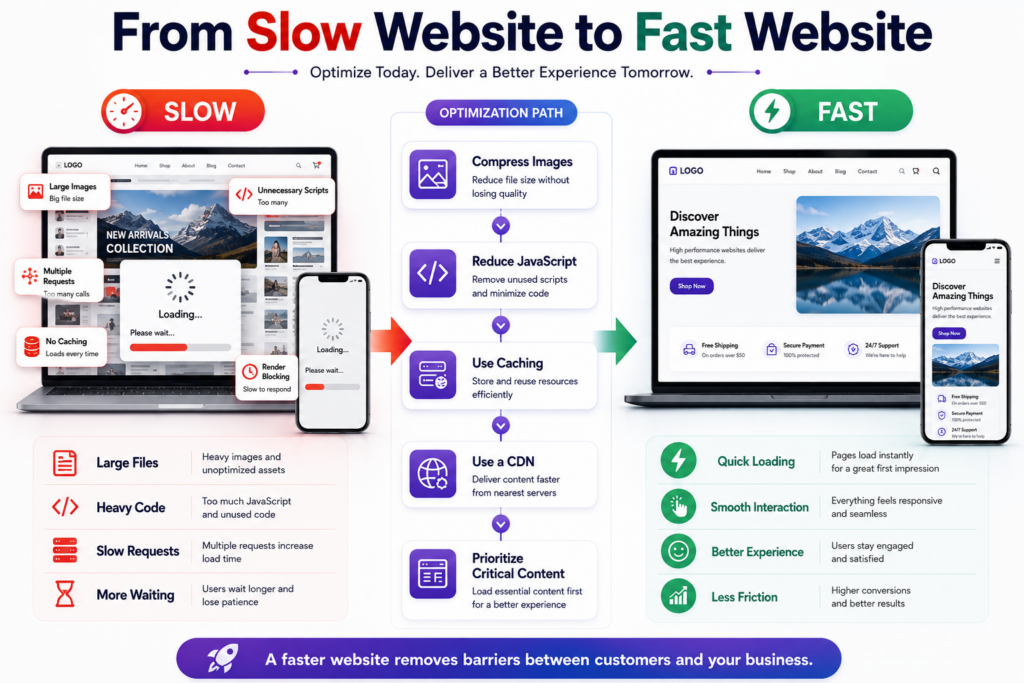
Improving website performance does not always require rebuilding everything.
Start with the biggest bottlenecks.
Optimize Images
Compress large images and avoid serving unnecessarily large files.
For example, if an image is displayed at 800 pixels wide, serving a 4000-pixel image wastes bandwidth.
Use responsive image techniques so browsers can select an appropriate resource for the user’s device.
Implement Caching
Caching allows frequently requested resources to be reused instead of generated or downloaded repeatedly.
Useful approaches can include:
- Browser caching
- Server-side caching
- CDN caching
- Database caching
- Application-level caching
Correct caching can significantly reduce response times for repeat visitors.
Use a Content Delivery Network
A CDN distributes content across multiple geographic locations.
When a visitor requests a resource, it can often be served from a location closer to them. This can reduce latency and improve loading performance for geographically distributed audiences.
Minimize Unnecessary Code
Review CSS and JavaScript regularly.
Remove:
- Unused libraries
- Duplicate dependencies
- Dead code
- Unnecessary plugins
- Old tracking scripts
- Features that customers rarely use
A leaner website is generally easier to maintain and optimize.
Prioritize Critical Content
Not everything needs to load at the same time.
The content that customers need immediately should receive priority.
This may include:
- Main heading
- Primary image
- Navigation
- Main call-to-action
- Essential product information
Less important content can load later.
This approach helps visitors begin interacting with the page sooner even when the entire page has not finished loading.
Website Performance Should Be an Ongoing Process
One common mistake is optimizing a website once and assuming the problem is permanently solved.
Websites change constantly.
A business may add:
- New plugins
- New tracking tools
- Larger images
- Additional landing pages
- New integrations
- More complex features
- New advertising technologies
Each change can affect performance.
Therefore, website speed should become part of regular technical maintenance.
A useful performance routine can include:
- Test important pages regularly.
- Monitor Core Web Vitals.
- Review new third-party scripts.
- Check image sizes.
- Monitor server response times.
- Test mobile performance.
- Investigate sudden performance drops.
- Re-test after major website changes.
Security monitoring should follow a similar continuous approach. Businesses can use Botdef’s security-focused resources as a reference point when reviewing the wider technical health of their digital infrastructure.
What Businesses Should Prioritize First
Not every performance issue has the same business impact.
A practical priority system is:
High Priority
Fix problems affecting revenue and customer actions first.
Examples include:
- Slow checkout
- Slow contact forms
- Poor mobile performance
- Extremely large landing-page assets
- Server errors
- Long server response times
Medium Priority
Next, address issues that affect general usability.
Examples include:
- Slow secondary pages
- Excessive animation
- Unoptimized fonts
- Non-critical JavaScript
Lower Priority
Finally, address minor improvements that have little measurable customer impact.
This approach prevents teams from spending weeks optimizing tiny technical details while a major checkout performance problem remains unresolved.
The Business Cost of a Slow Website
A slow website does not always produce an obvious bill.
Instead, the cost often appears as missed opportunities.
A visitor who leaves does not always explain why. They simply disappear.
That can mean:
- One less product sale
- One fewer lead
- One abandoned inquiry
- One lost subscriber
- One missed consultation
- One customer choosing a competitor
Multiply that behavior across thousands of monthly visitors and the potential impact becomes significant.
This is why website performance should be viewed as a business investment rather than merely a developer task.
A faster website can make it easier for customers to discover information, compare products, complete forms, and make decisions.
A Fast Website Is Part of a Better Customer Experience
Website speed should not exist separately from design, content, accessibility, security, and usability.
A beautiful website that takes too long to load is still frustrating.
A secure website with confusing navigation is still difficult to use.
A technically fast website with poor content may still fail to convert visitors.
The strongest digital experiences bring these elements together.
Performance is one important piece of the larger customer experience puzzle.
Final Thoughts: Why Customers Leave Slow Websites
So, why do customers leave slow websites?
Because waiting creates friction.
Customers want information quickly, interactions to respond naturally, and websites to behave reliably. When a page is slow, visitors can lose patience, confidence, and purchase intent before they ever reach the business’s main message.
The good news is that many performance problems can be identified and improved.
Start by measuring real performance. Look at Core Web Vitals, server response times, mobile behavior, image sizes, JavaScript, and third-party scripts. Then prioritize improvements based on their impact on customers and business goals.
Most importantly, do not treat speed as a one-time technical project. Why customers leave slow websites is ultimately a customer-experience question. Businesses that continuously improve performance make it easier for visitors to stay, explore, trust, and convert.
A fast website does not guarantee success. However, a slow website can make success unnecessarily difficult.
For organizations that want to build a stronger digital presence, combining performance improvements with ongoing security awareness is an equally important step. Reliable technology is not only about what customers can see—it is also about creating a website experience they can confidently use.